
Built in a working repair shop
Run your repair business from one place.
ApplianceRepairVault holds every job, tech, and part in one place, so you know who is where, what is waiting on a part, and which visits still need a return trip.
- Set up in minutes
- Or we set it up with you
- One flat monthly rate
Rather have us do it with you? Book a setup call
Already using it? Sign in
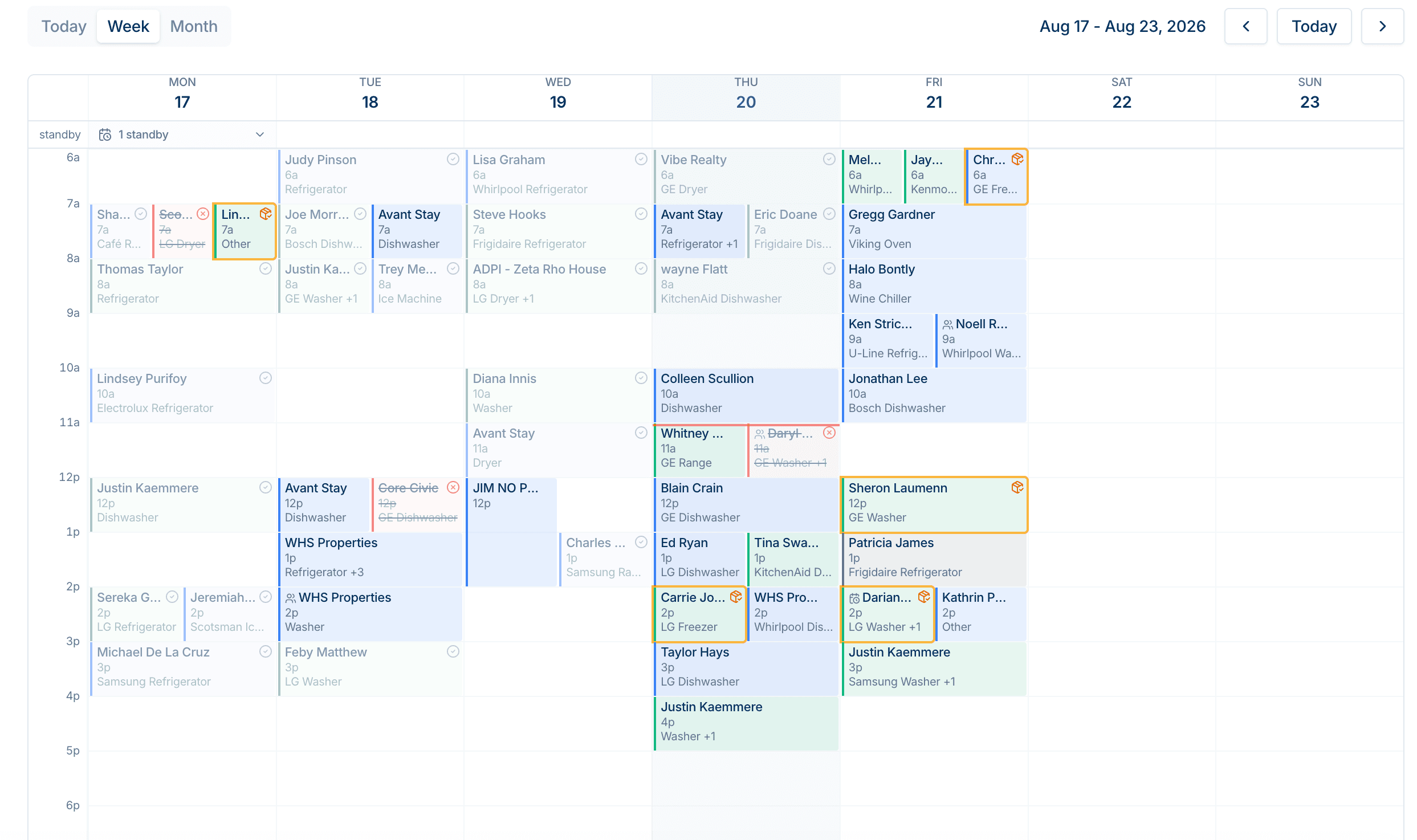
Colour code your techs
Every tech owns a colour, so you can track which tech is on which job through the week and on the map.
Create custom statuses
Make your own or use the built-ins: Recall, Parts Ordered, and Ready to Install. A job waiting on something never disappears.
Put in time off and availability for your techs
Mark the days a tech is away and the schedule stripes them out, so nothing gets booked over a day off.
The calendar is not the problem.
What happens after the visit is.
A tech orders a part on Tuesday. It lands the following week. Nobody books the return trip. The customer calls, annoyed, and you are the one holding it. Every shop has a version of this gap, and a paper calendar cannot close it. The job is not on the calendar any more. That is the gap this software was built to close.
How it works
One job, start to finish.
Eight states, and the four that matter are the ones where jobs usually go missing.
- 01
Scheduled
Book the visit, pick the tech, pick the services. The block sizes itself to the time you gave it.
- 02
In progress
The tech starts the job from their phone. It is the only thing on the board that moves.
- 03
Parts ordered
No part, no fix. The visit leaves the calendar and lands on the office list, with the order number.
- 04
Part Install
The part arrives and the job turns amber. It keeps asking for a return trip until somebody books one.
- 05
Completed
Total, parts cost, tech pay. You get gross profit on the job, not just what came in.
What it covers
The parts of the day that fall through.
Every screen here exists because something went wrong on a real job and needed a place to live.
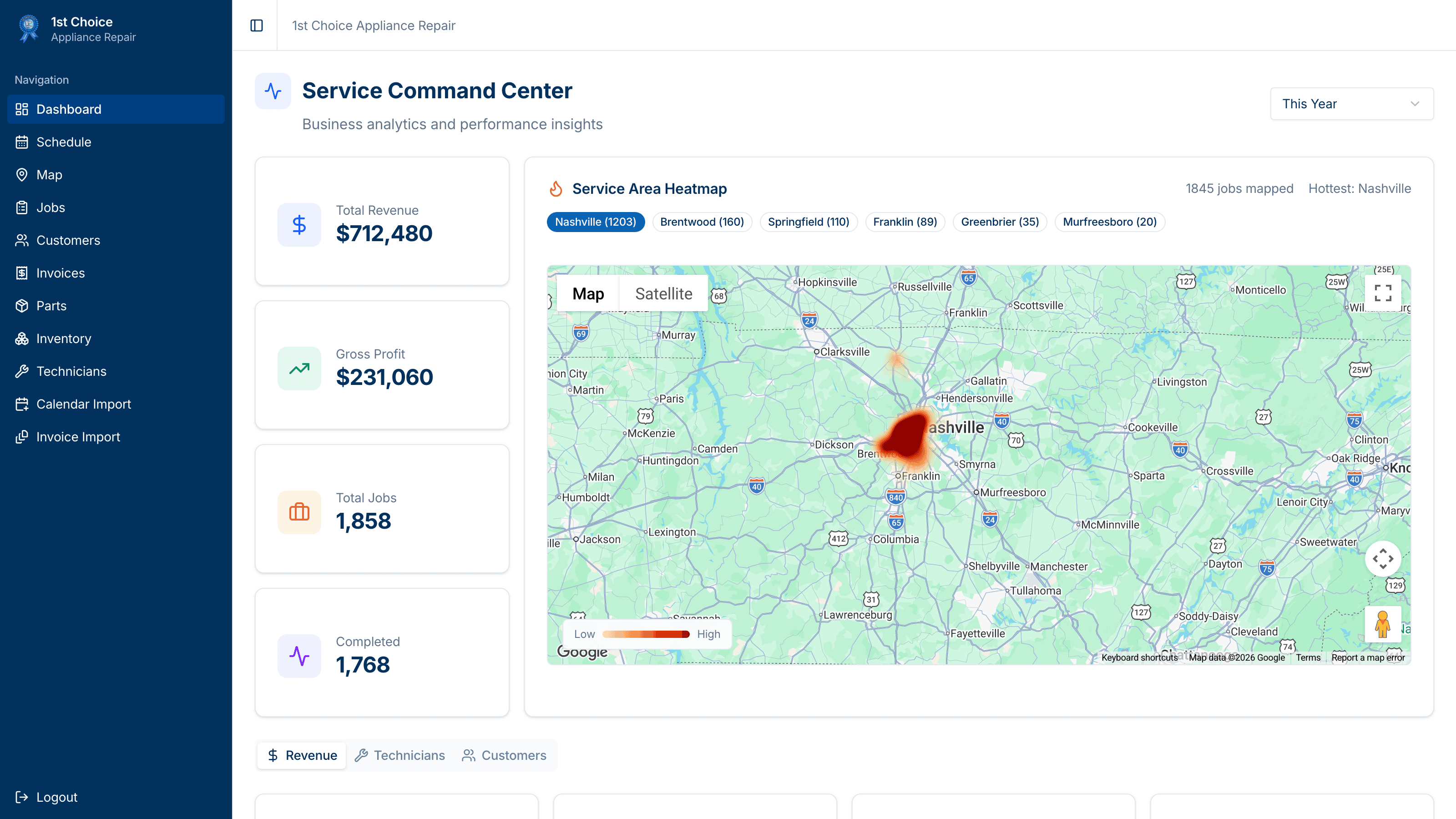
Dashboard
The money, and the map of it
Revenue, profit, and job counts for today through the whole year, plus a heatmap of where your work actually is. See your service area instead of guessing it.
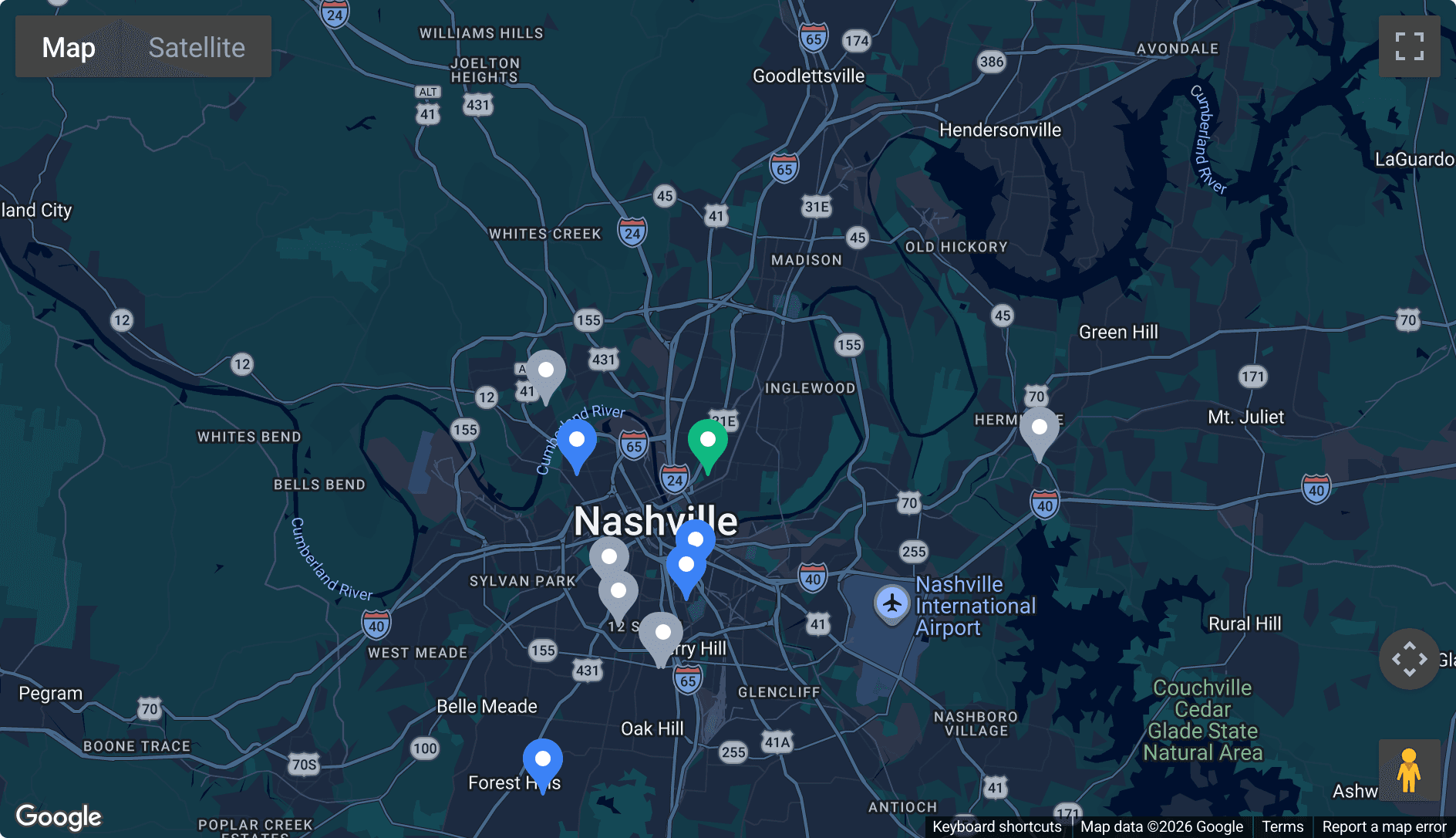
Map
Where everyone is
Active jobs as pins, coloured by tech. One tap opens Google or Apple Maps, already pointed at the door.
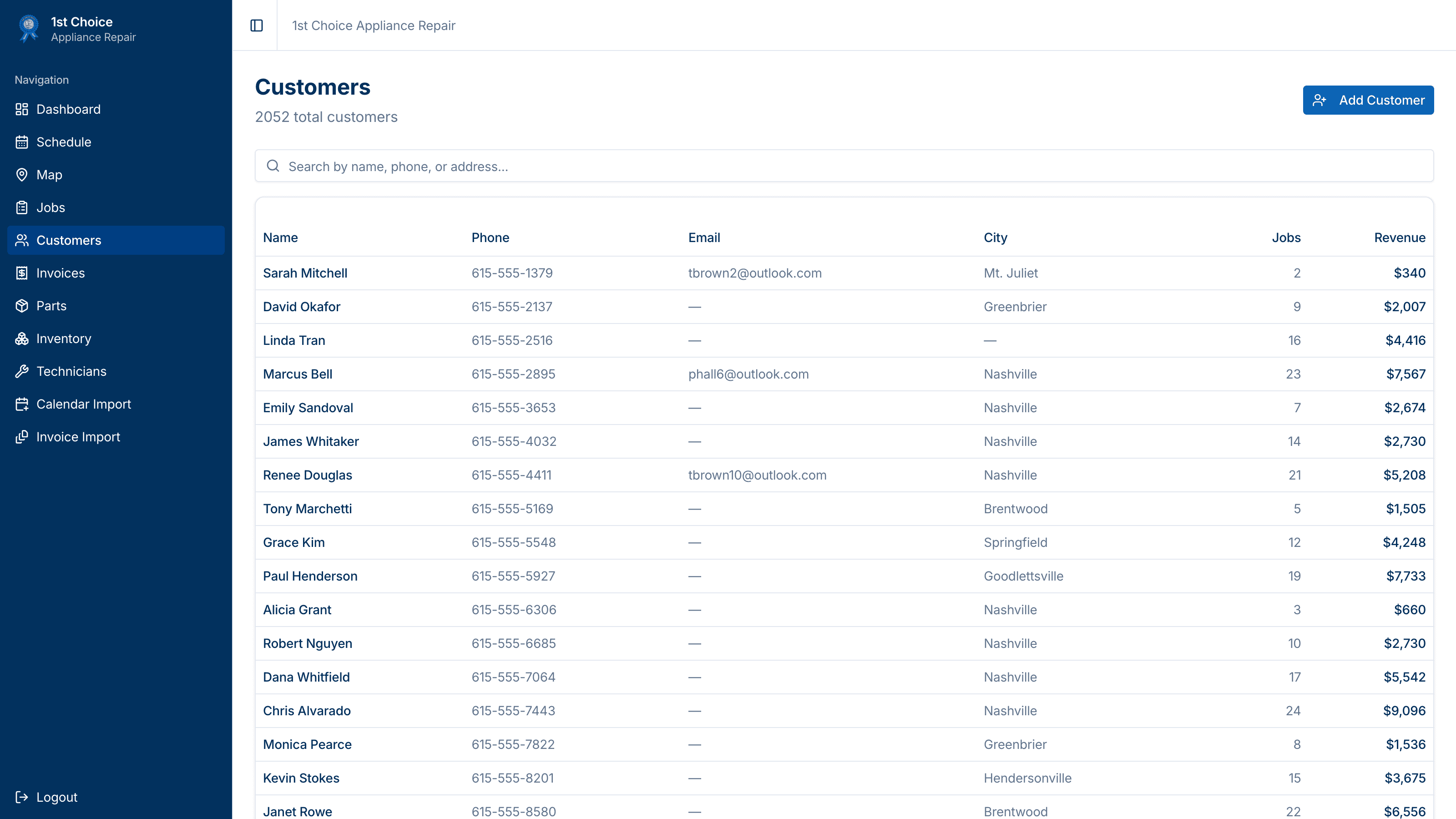
Customers
Every customer you have ever served
Search by name, phone, or address. Open a profile and see every address on file, every visit, and what each one paid.
Jobs
Every job you have ever run
Parts
Every part on order
Inventory
What is already on the shelf
Recurring
Work that repeats
Standby
Fill a cancellation
Recalls
The job that came back
Team
Shared jobs and time off
The week ahead at 5pm
Who logs in
Three logins, three different apps.
A tech opening the app sees their day, not your books.
Owner
Everything. The dashboard, revenue, profit per tech, and every screen the others have.
Desk
Schedule, map, jobs, customers, parts, and inventory. No financial dashboard.
Tech
Their day, their jobs, and the parts they ordered. Nothing else.
Getting started
Start now, or we start it with you.
Make your shop in about a minute and start booking jobs today. Or book a call and we sit down with you, load your customers and open jobs, add your techs, and walk the whole team through it until it sticks. Same software either way.
- A setup session, in person
- Your customers and open jobs loaded for you
- A login for the owner, the desk, and every tech
- Your techs’ colours set the way you want them
- A direct line when something needs to change